
A calm, complete site survey on your phone.
Built for the few minutes you have on site: capture what the specialist needs to see, record where each number came from, and leave with a brief that is ready to share.
Android Android release coming soon
Try it in your browserVersion 1.0.0. Requires Android 7.0 or later. Works offline.
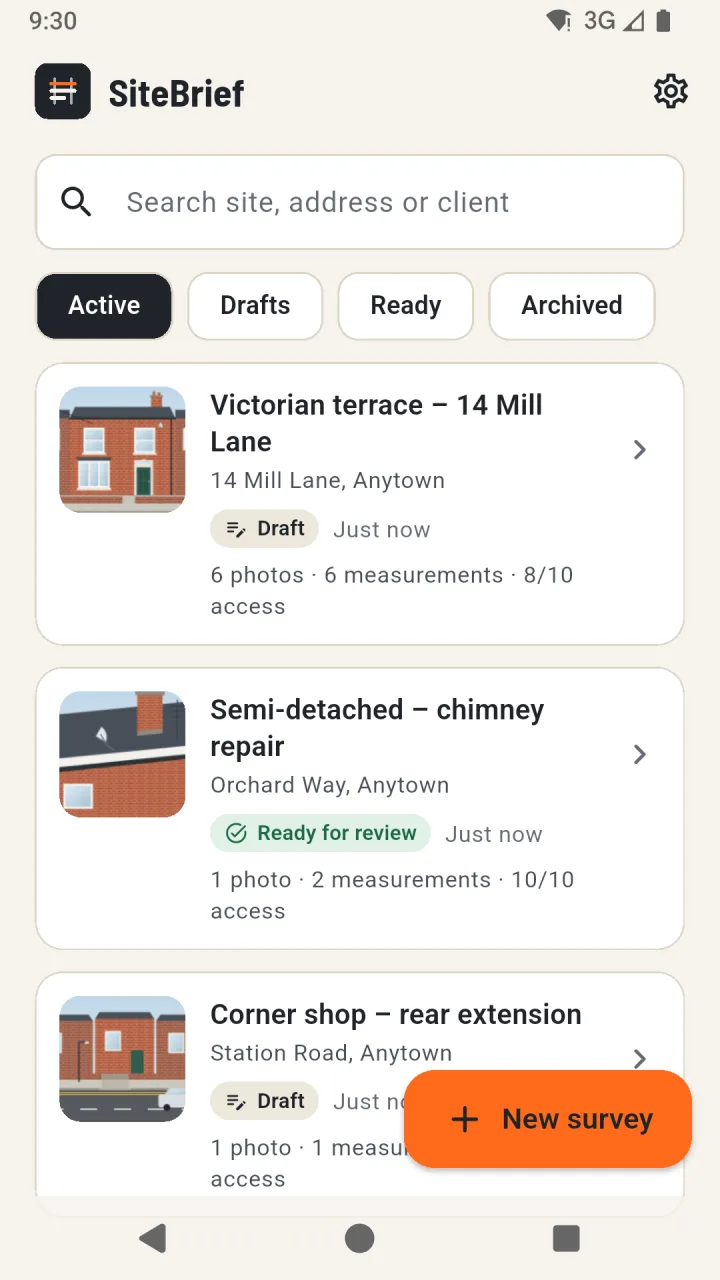
Every site in one list
Start a survey with just a site name. Search by site, address or client and filter by draft, ready for review or archived.
- No account or sign-in
- Unfinished forms are kept if the app closes
- Archive finished surveys without deleting them
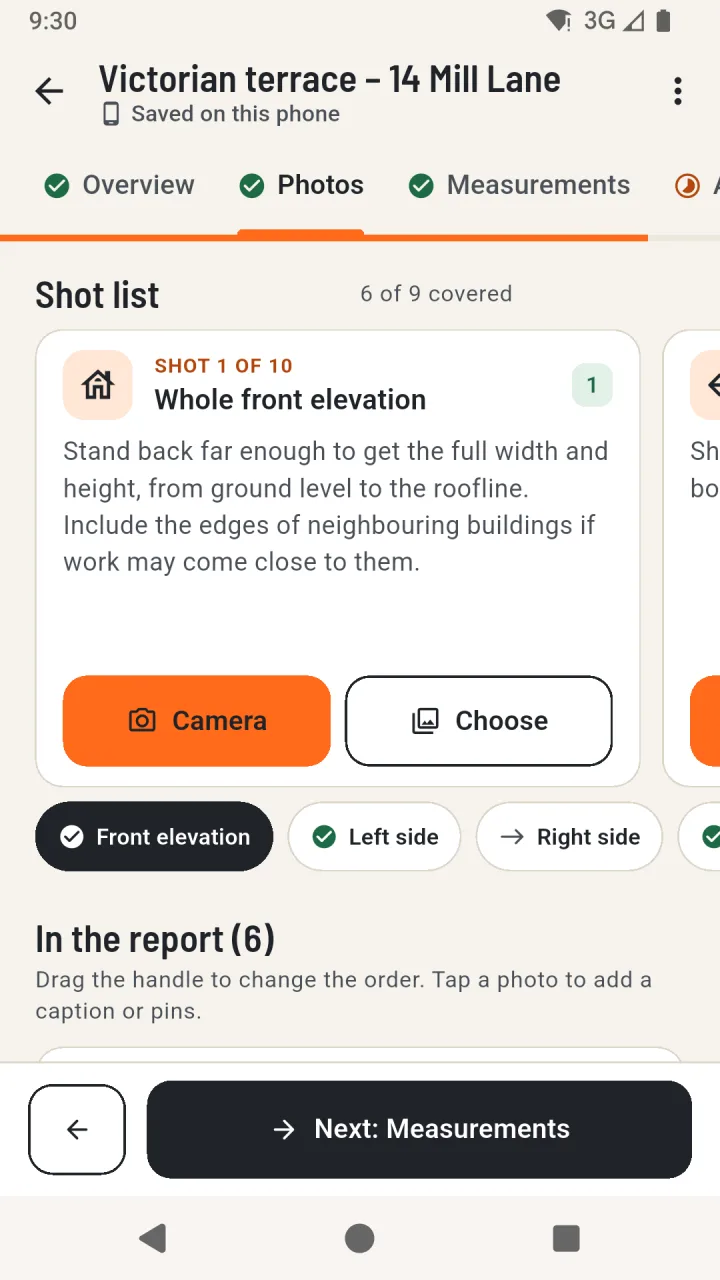
A shot list that covers the site
Swipe through ten prompts - from the whole front elevation to details for the specialist to check - and take photos with the camera or choose ones you already have.
- Uses the system camera and the Android photo picker
- Drag to set the order used in the PDF
- Photos are resized and their location data removed
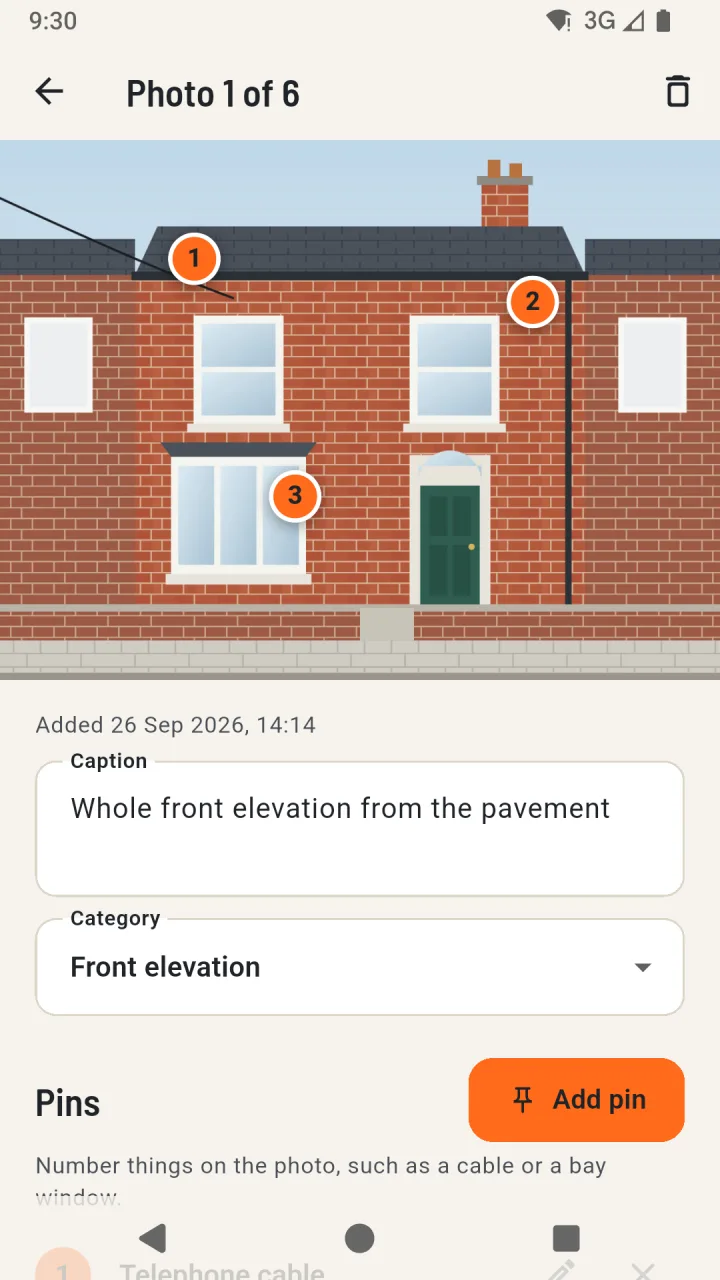
Point out what matters
Add numbered pins to a photo and label them - a telephone cable, a satellite dish, a bay window roof. Pins and captions appear in the brief.
- Up to you how many pins
- Captions of up to 200 characters
- Move photos earlier or later in the report
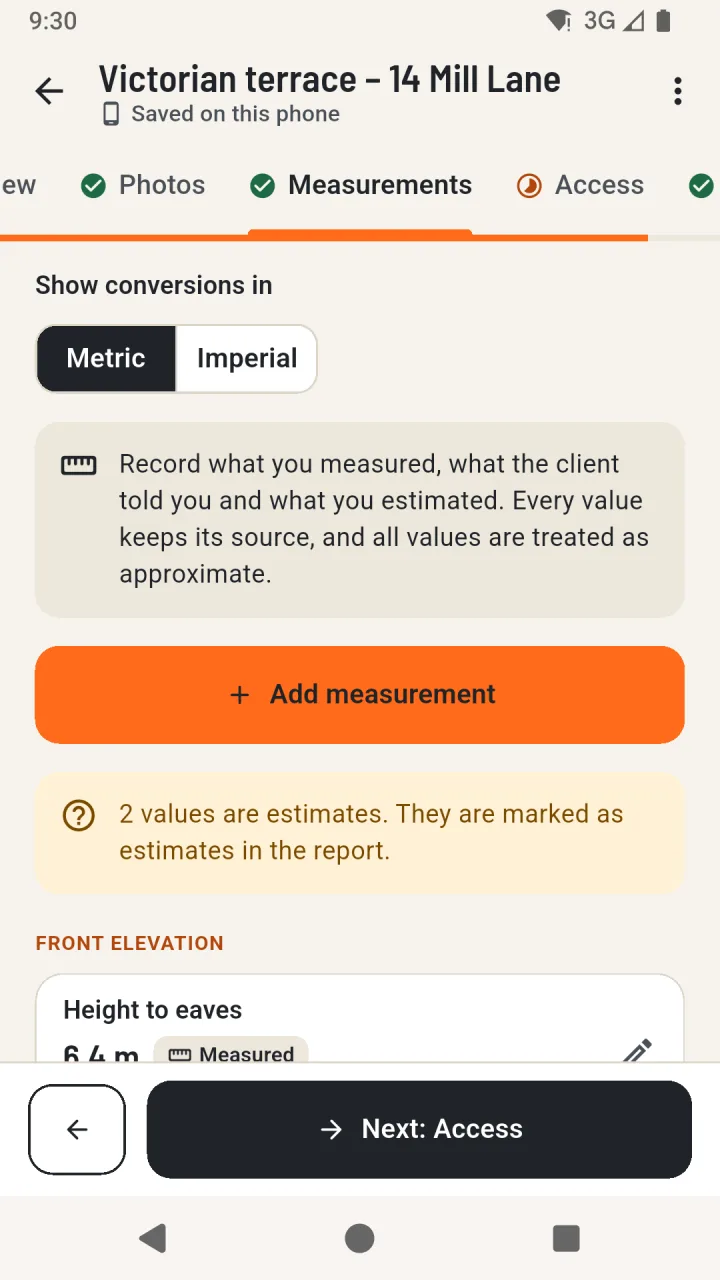
Approximate values, clearly labelled
Record what was measured, the value and unit, and whether it was measured on site, provided by the client or estimated. Values are stored exactly as entered.
- Metres, millimetres, feet and inches
- Conversions shown without changing the original
- Checks for zero, negative and implausible values
Access and constraints as observations
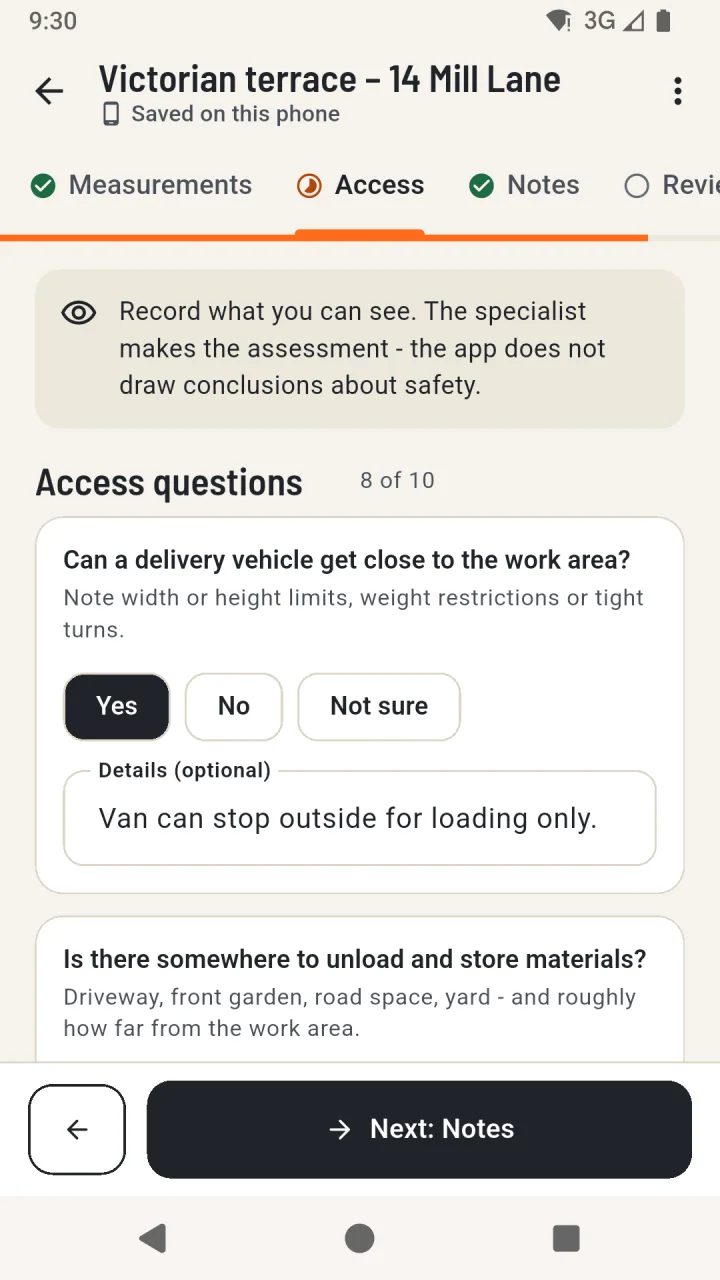
Answer ten questions about delivery access, unloading, gates, passages, pavements, parking, overhead lines and more, with a note for each.
- Yes, No or Not sure - no automatic conclusions
- Record obstructions and access restrictions
- Open questions for the specialist
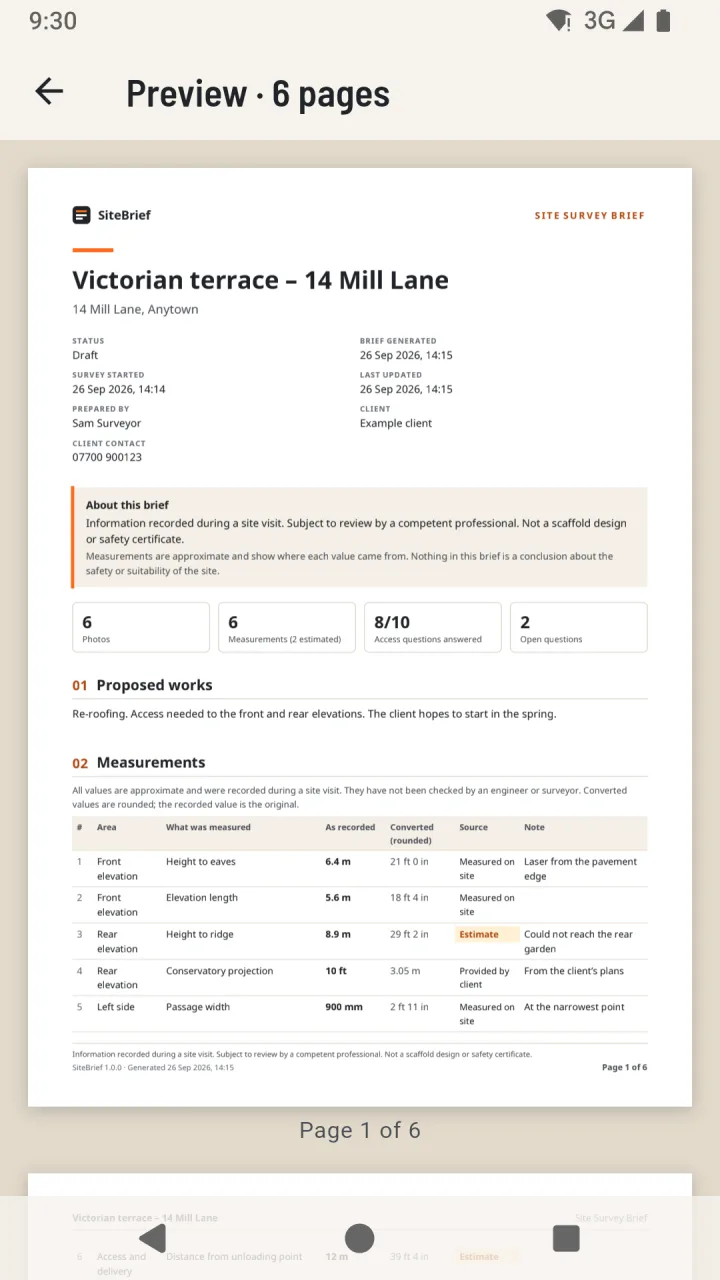
Review, then share a clear brief
The review screen shows what is still missing. Create the PDF on the phone, preview every page, then share it or save a copy wherever you choose.
- Choose whether to include client details
- Internal notes stay out unless you add them
- Optional smaller photos for email
Screens show fictional example data. The site photos are illustrations. Tap a screen to enlarge it.
Your surveys stay on your phone
The app has no internet permission, no account, no adverts and no analytics. Files leave the phone only when you share or save a PDF or a backup.
Read the privacy policy- Stored in private app storage, excluded from Android cloud backup
- Location data removed from photos when they are added
- Camera and photo picker without broad photo or camera permissions
- Backup and restore to a file you choose
- Delete one survey or everything at any time