
Six sections, any order, one clear brief.
Open a survey and move between sections as you walk the site. Progress is shown at the top, and every change is saved on the phone straight away.
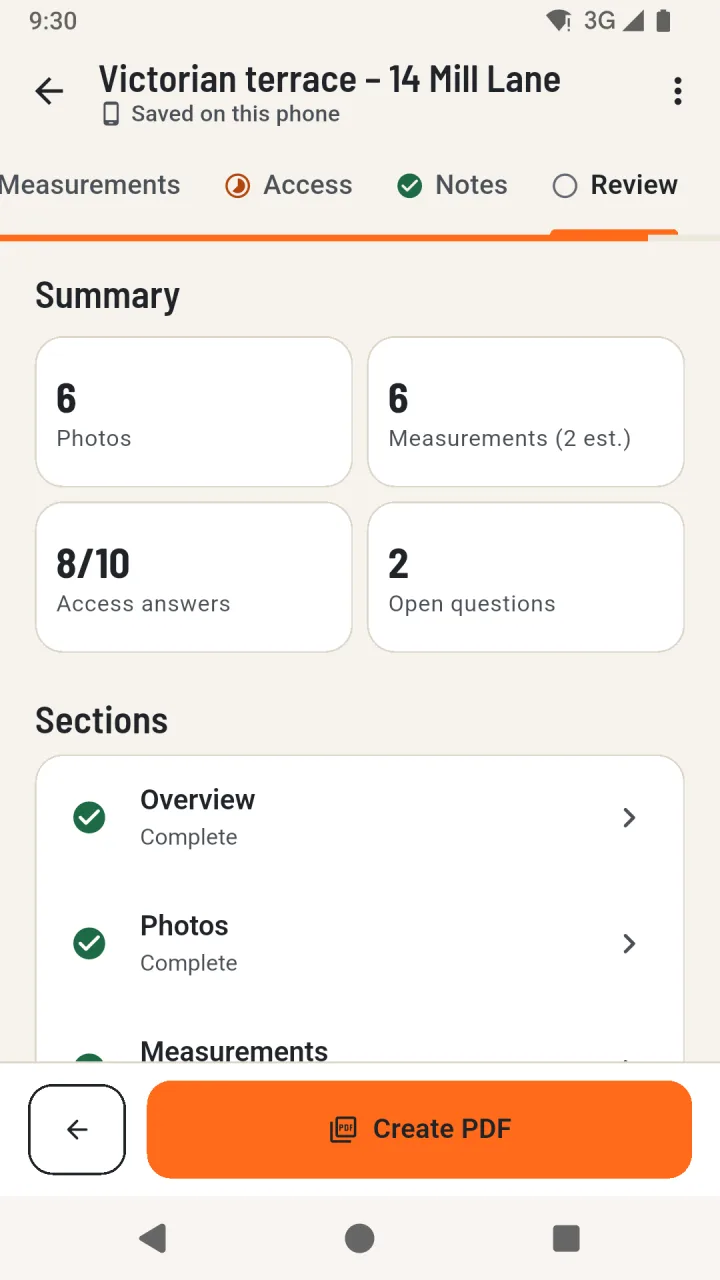
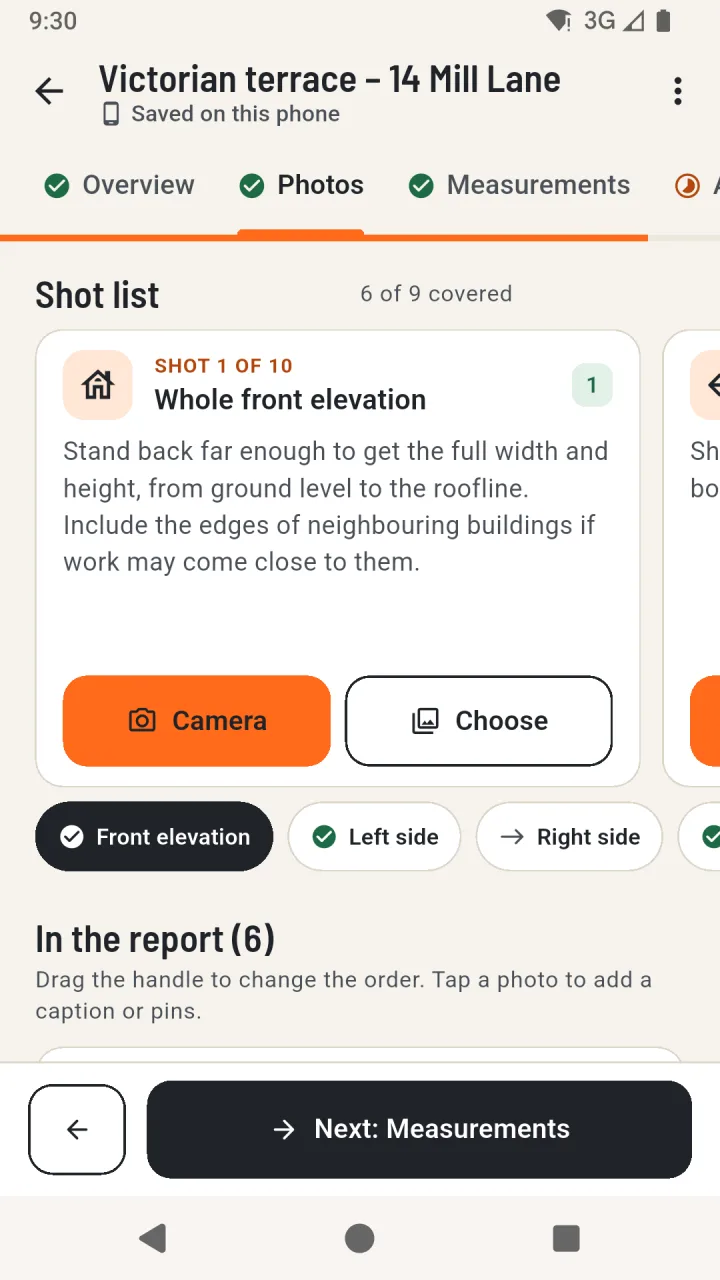
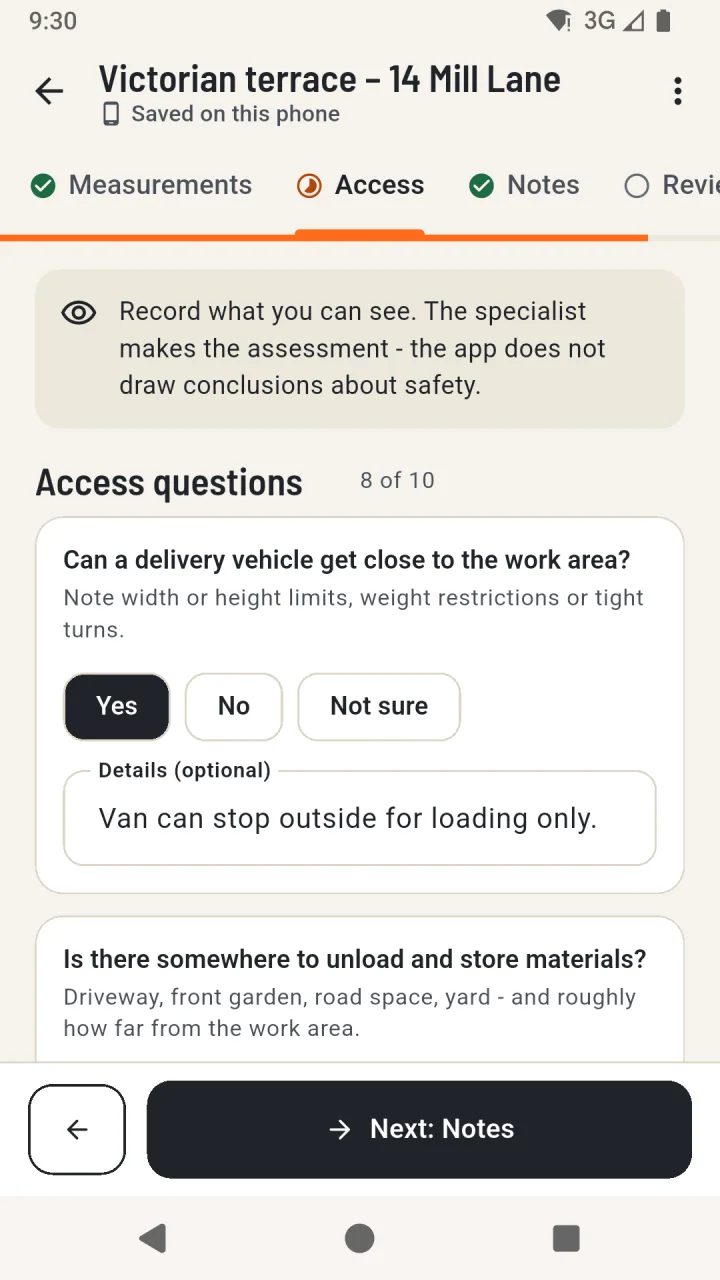
The survey sections
- 01
Overview
Site name and address, the client’s details if you have them, and a short description of the proposed works.
- 02
Photos
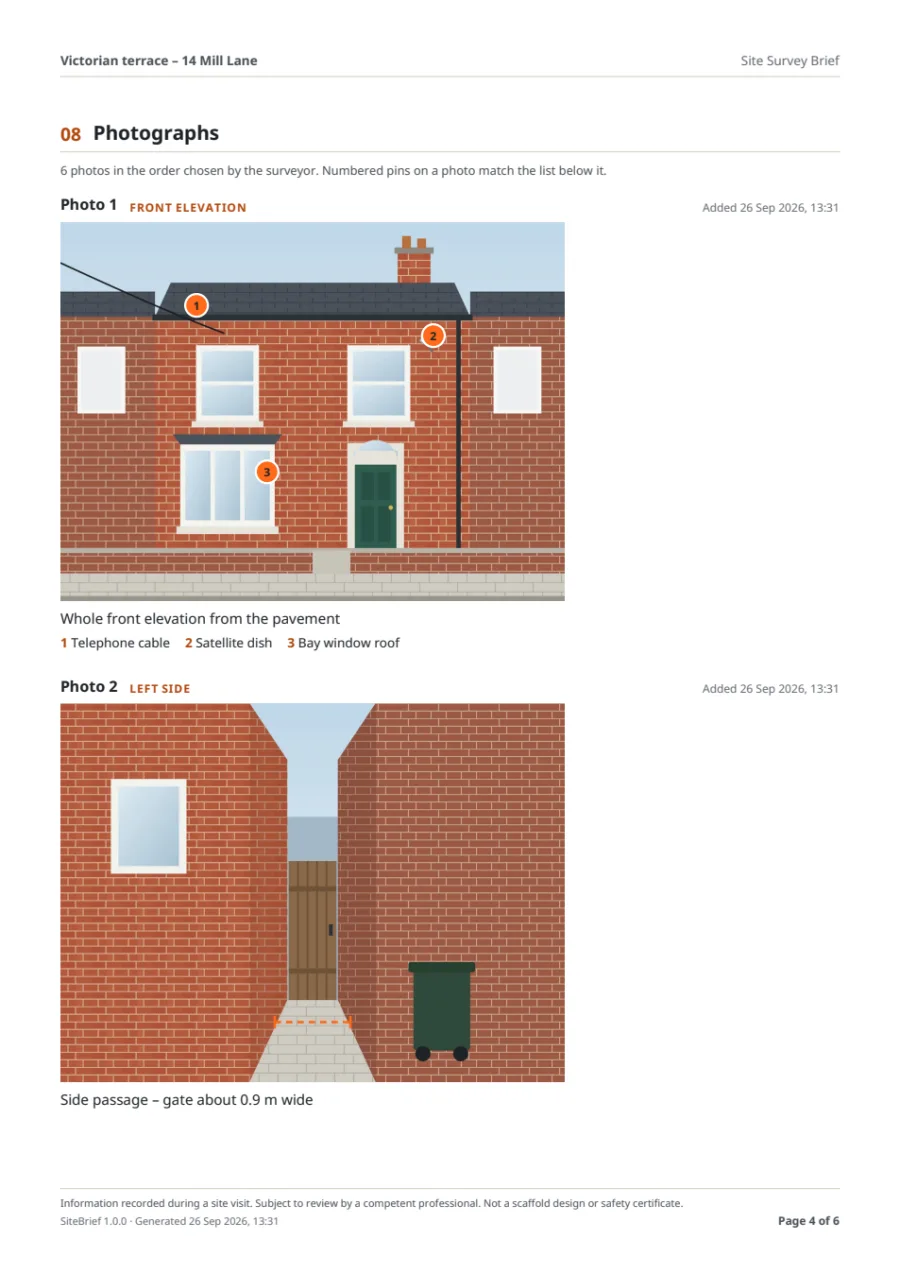
A guided shot list: whole front elevation, both sides, rear, roofline, delivery access, ground level, obstructions and details to check.
- 03
Measurements
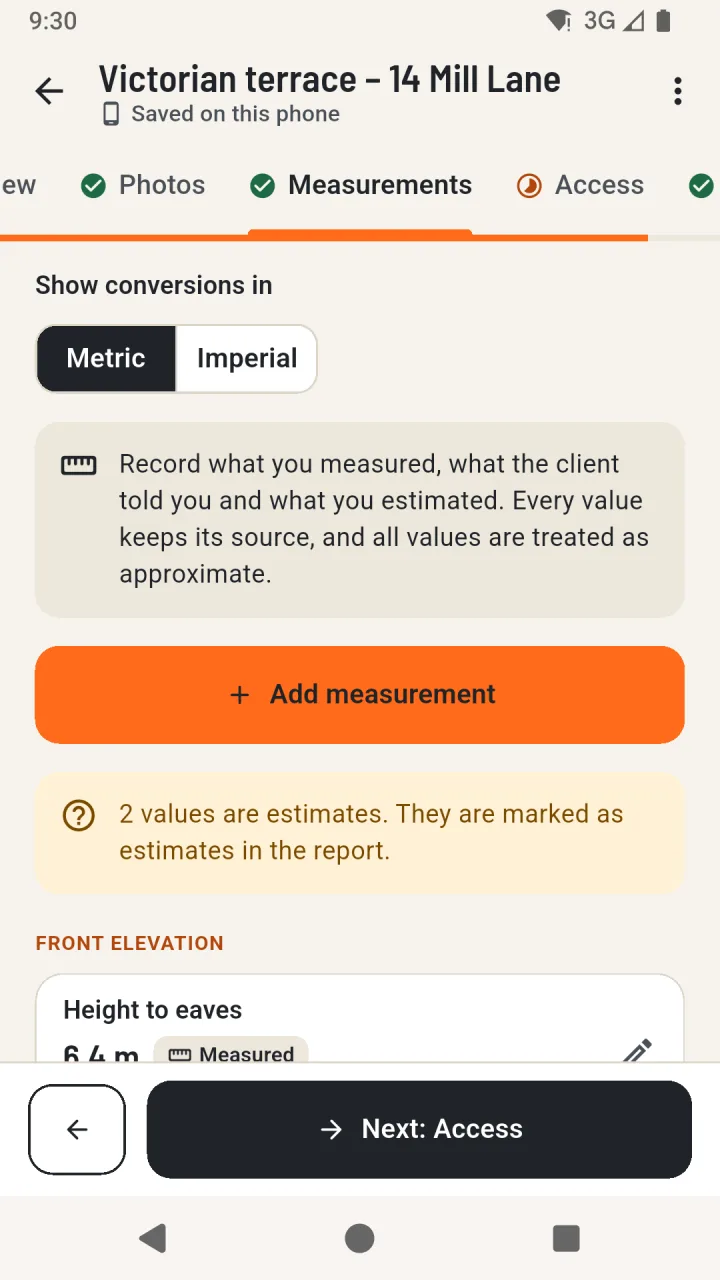
What was measured, the value and unit, and its source: measured on site, provided by the client or an estimate.
- 04
Access
Ten observation questions with Yes, No or Not sure, notes on access points and unloading, and any obstructions or restrictions.
- 05
Notes
Ground and surface, open questions for the specialist, notes for the specialist and internal notes for your team.
- 06
Review
A summary of what is recorded and what is still worth adding, and the option to mark the brief ready for review.
Recorded exactly, converted carefully
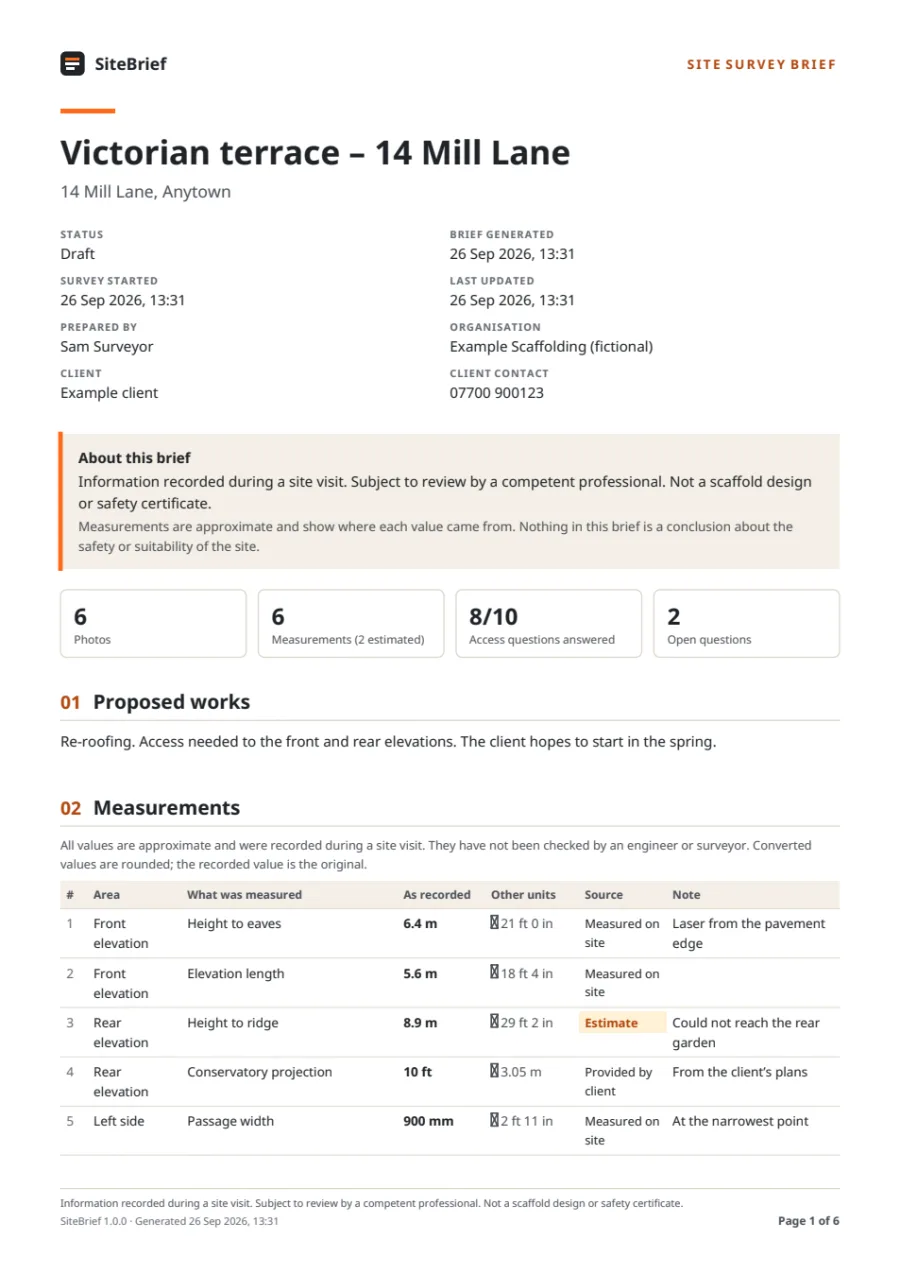
A value is kept exactly as you type it, with its unit. Switching between metric and imperial only changes how conversions are shown - the recorded value never changes, so nothing drifts through rounding.
- 1 ft = 0.3048 m and 1 in = 0.0254 m, calculated with exact fractions
- “12,5” is read as 12.5; ambiguous input such as “1,234” is questioned, not guessed
- Zero, negative, sub-millimetre and over-1,000 m values are rejected; very large values ask for confirmation
What goes into the brief
- Site details, dates, status and who prepared it
- The statement that it is information recorded during a site visit, not a design or safety certificate
- Proposed works
- Measurements with the recorded value, a rounded conversion and the source
- Access questions, answers and notes; access points and unloading area
- Ground and surface notes and observed constraints
- Open questions and notes for the specialist
- Internal notes - only if you choose to include them
- Photographs in your order, with captions and numbered pins
- Page numbers on every page
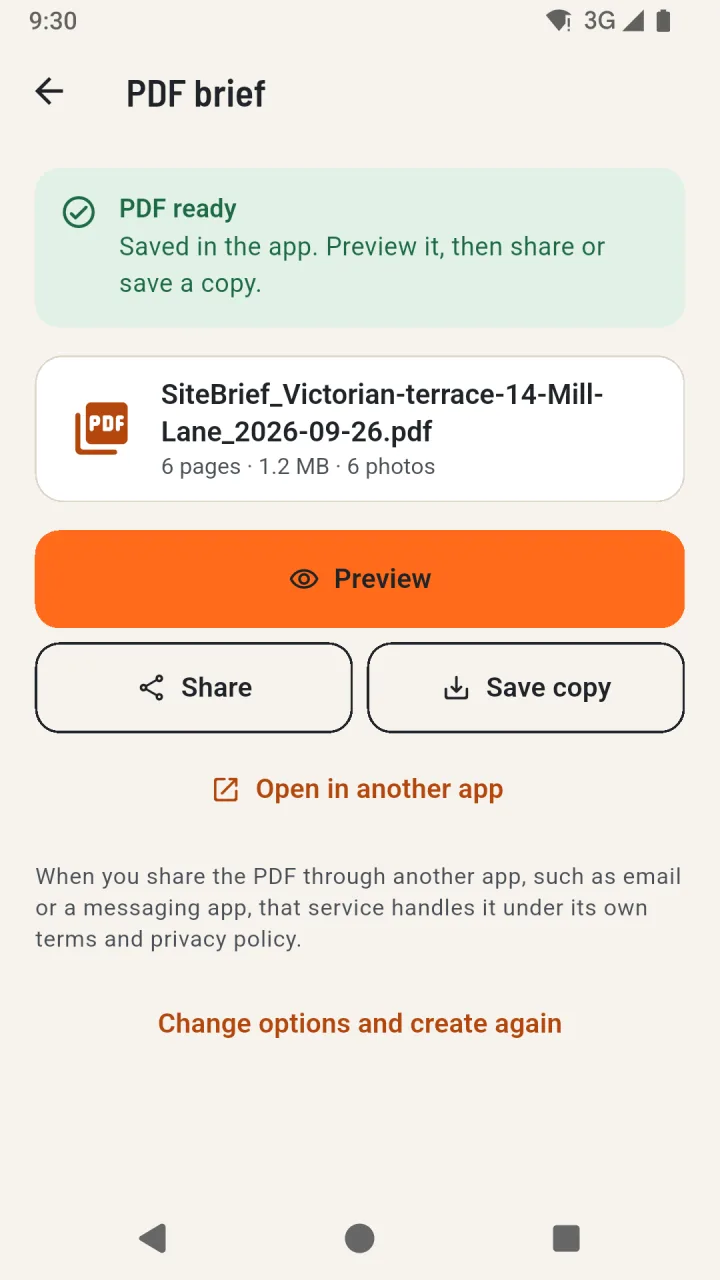
The PDF is created on the phone. You can preview it in the app, share it through the Android share menu or save a copy with the system file dialog.
What “Ready for review” means
Marking a survey as ready for review means the information brief is complete enough for a competent professional to look at. It is not a statement that the site, or any scaffold, is safe, suitable or approved.